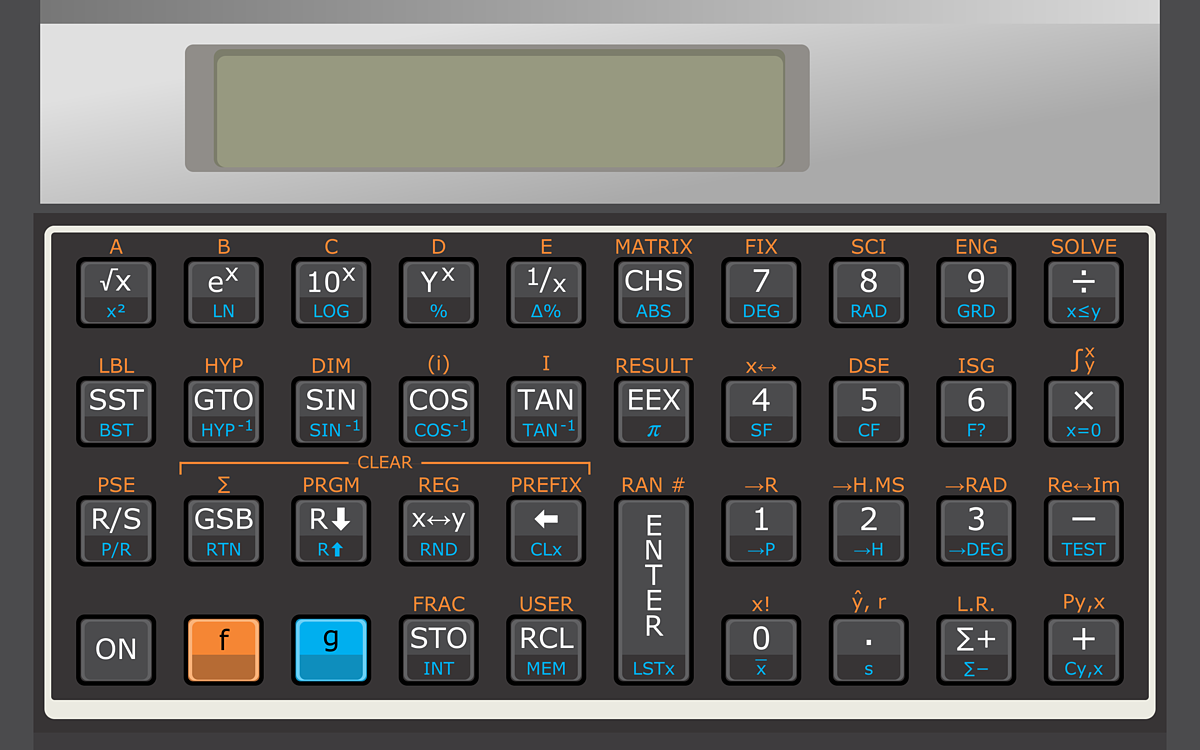
HP 15C Scientific Calculator

Advanced Scientific Functions - Matrix Operations - Complex Numbers

DEG
RUN
Complex
HP 15C calculator background
STO
USER
GRAD
PRGM  C
C

Paper Tape

No operations yet
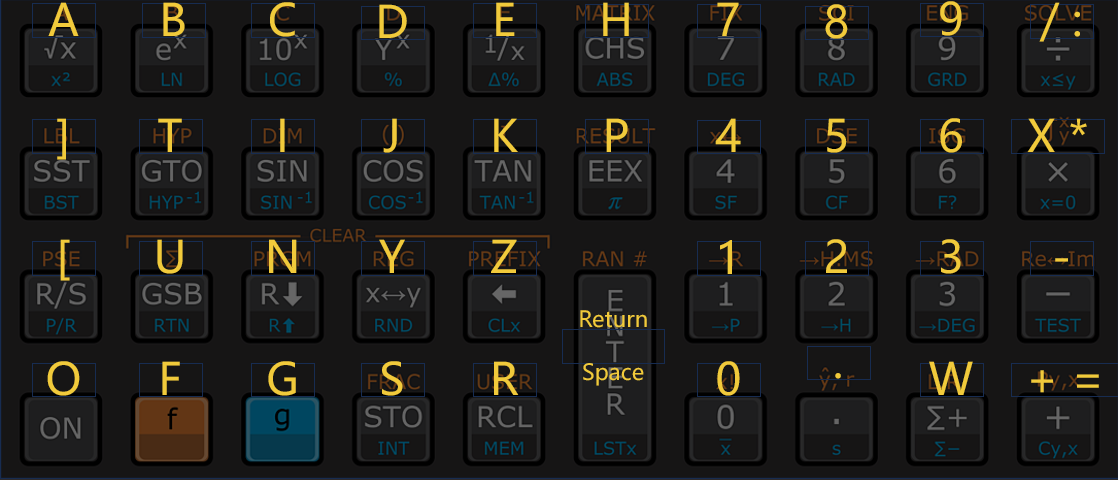
Keyboard Shortcuts
Keyboard Shortcuts Map (HP15C Scientific)

Professional HP 15C Scientific Emulator

This is a professional HP 15C scientific emulator you can run as a free 15c rpn scientific calculator in the browser. It keeps the original RPN flow, the matrix and complex toolset, and the classic “hp rpn calculator” keypad so you can stay fast on hp15 online without installing anything.

From engineering students to field scientists, this tool faithfully reproduces the HP 15C (hp-15c) experience: matrix operations, complex arithmetic, numerical integration, and programmable logic, all available instantly on your desktop or mobile device.

The Scientific Advantage: Why RPN?

Scientists and engineers prefer the HP 15C RPN logic for complex chain calculations:

Parenthesis-Free: Solve nested formulas like `(A+B)/(C-D)` without tracking bracket depth.
Stack Efficiency: Intermediate results stay on the stack (X, Y, Z, T) for immediate reuse.
Complex Chains: Handle real and imaginary components naturally with stack operations.
Flow: Enter data as you think—Input, Input, Operator—reducing cognitive load.
Algebraic Input
( 3 + 4 ) * 5
Requires parentheses for order of operations.
SCIENTIFIC
HP 15C RPN
3 ENTER 4 + 5 x
Logical flow: calculate 3+4, then multiply by 5.

Scientific Powerhouse

The hp15c online emulator delivers the full scientific toolset. Whether you are inverting matrices, solving for roots, or integrating functions, it handles the math natively. The layouts, `f`/`g` shift keys, and display indicators (complex, grad/rad) match the physical device perfectly.
  • Matrix Operations: DIM, DET, Inverse, Multiply
  • Complex Numbers: Re ↔ Im, Magnitude, Phase
  • Calculus: SOLVE (root finding) and ∫f (integral)
  • Statistics & Programming: 448 program steps

Example: Complex Number Arithmetic

Scenario: Multiply (3 + 4i) by (5 + 6i). The HP 15C handles complex numbers using the `I` key. Enter real part, then imaginary part, then [I].
1.3Enter Real part of first number (3).
2.4 IEnter Imaginary part (4) and press [I] (enters 3 + i4).
3.5Enter Real part of second number (5).
4.6 IEnter Imaginary part (6) and press [I] (enters 5 + i6).
5.xPress [x] (Multiply).
6.Re↔ImResult displayed:38.00

Frequently Asked Questions

Is it free?
Yes—use it as a free 15c rpn scientific calculator in the browser. No subscription required for the core calculator.
Does it match the original keys?
The professional hp 15c scientific emulator mirrors the physical layout and RPN behavior, including the shift keys (`f`, `g`) and function codes.
Are matrix and complex supported?
Yes—full matrix ops (up to 8x8 usually), complex arithmetic, SOLVE, ∫f, stats, and programming are supported just like the original hp 15c calculator.
Can I type instead of clicking?
Yes—keyboard shortcuts map to the keypad, turning this into an efficient hp rpn calculator for daily scientific computer work.